
21 April 2026
- SEO
- PPC

Stop wasting budget and start scaling smarter.
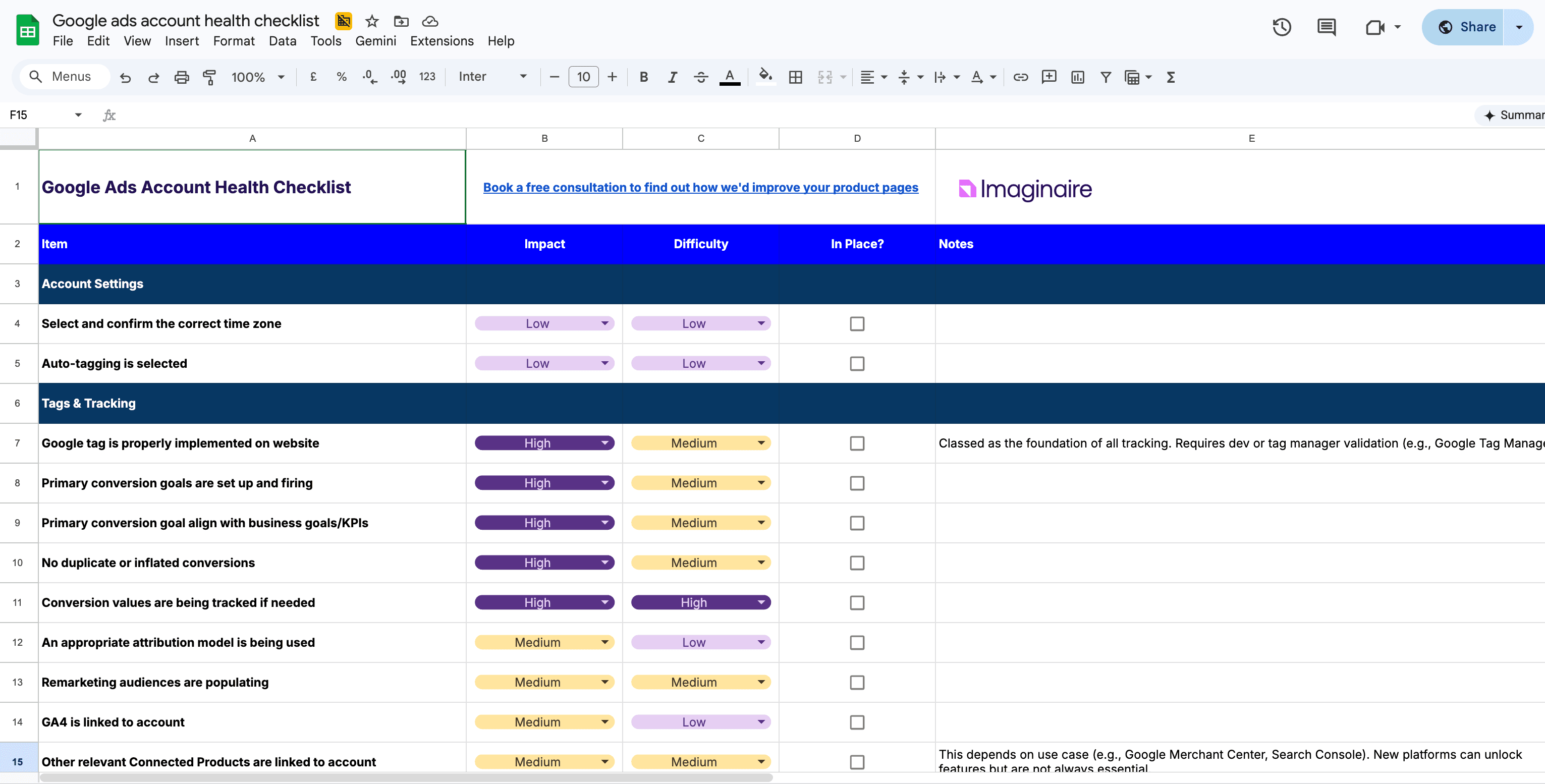
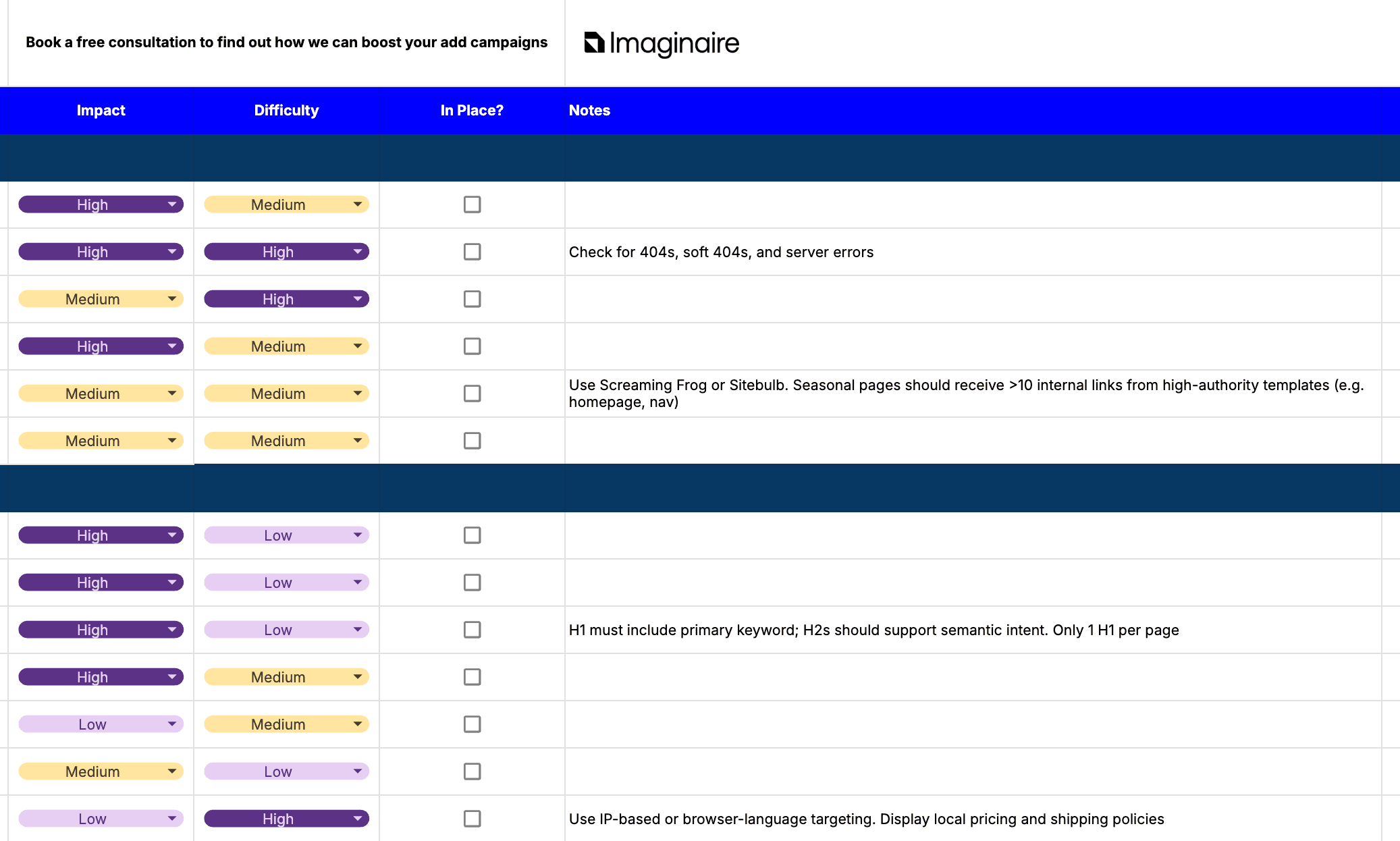
This practical, no-fluff checklist walks you through the 42 essential checks every high-performing Google Ads account needs.
Whether you're auditing your own campaigns or managing accounts for clients, this checklist helps you quickly spot inefficiencies, fix common issues, and unlock better performance without any guesswork.

What's inside?
Campaign Set Up
Build campaigns that are structured to perform and ensure you're ticking all the boxes when it comes to setting them up.
Tags & Tracking
Make sure your data is accurate and complete.
Includes audit conversion tracking, fixing tagging issues, and ensuring you're measuring what actually matters.
Scripts & Rules
Check that scripts and automated rules are active, accurate, and not causing unintended changes or missed issues.
Security & Billing
Keep your account protected and running smoothly by checking user access, account security, and billing setups to avoid disruptions or costly mistakes.
Dive into expert-driven insights and exclusive resources covering everything from the world of ecommerce.
From mastering PPC to levelling up your Google Shopping campaigns, we share the latest trends, tips, and tactics to help your online business grow smarter and faster.
21 April 2026

14 April 2026

8 April 2026
8 April 2026
19 November 2025

19 November 2025

9 November 2025

28 October 2025

14 October 2025

1 October 2025

5 August 2025

29 July 2025
4 June 2025
16 May 2025

3 February 2025

2 January 2025

6 November 2024

31 October 2024

30 October 2024
24 June 2024
To create a Google Ads account, go to the Google Ads homepage and sign in with your Google account. Follow the setup steps by entering your business details, setting your goals, and creating your first campaign.
You can skip campaign creation initially if you want to configure the account later.
Setting up a Google Ads account involves defining your campaign goals, choosing the right keywords, setting a budget, creating ad groups, and writing ads. It’s also important to configure conversion tracking so you can measure performance effectively. This is typically the part where brands will reach out to agencies to handle the set-up processes.
To audit a Google Ads account, review campaign performance, keyword targeting, ad copy, bidding strategy, and conversion tracking. Look for wasted spend, underperforming keywords, and opportunities to improve ad relevance and quality score.
Your Google Ads account ID is displayed in the top right corner of your account dashboard. It’s a 10-digit number used to identify your account, especially when linking with other tools or contacting support.
Improving performance involves optimising keywords, refining targeting, improving ad copy, testing different bidding strategies, and regularly analysing data. Continuous testing and adjustments are key to better results.
Ready to deliver profitable growth through Google Ad strategies?
Talk to our team today or visit our main Google Ads page and see how our expertise and proprietary technology can transform your paid media performance.